Layer visibility
Written By Johan Hanegraaf
Last updated 8 months ago
Switching layer visibility requires a Pro or Enterprise license. You can learn more about our paid features on our website and start a free trial within Arkio to try this.
Arkio offers additional view settings for imported models from Revit, ArchiCAD, Rhino, and SketchUp. You can try this in the Revit sample scene accessible from the start menu. Layer information is displayed for each imported model in the Review panel > Layers tab.
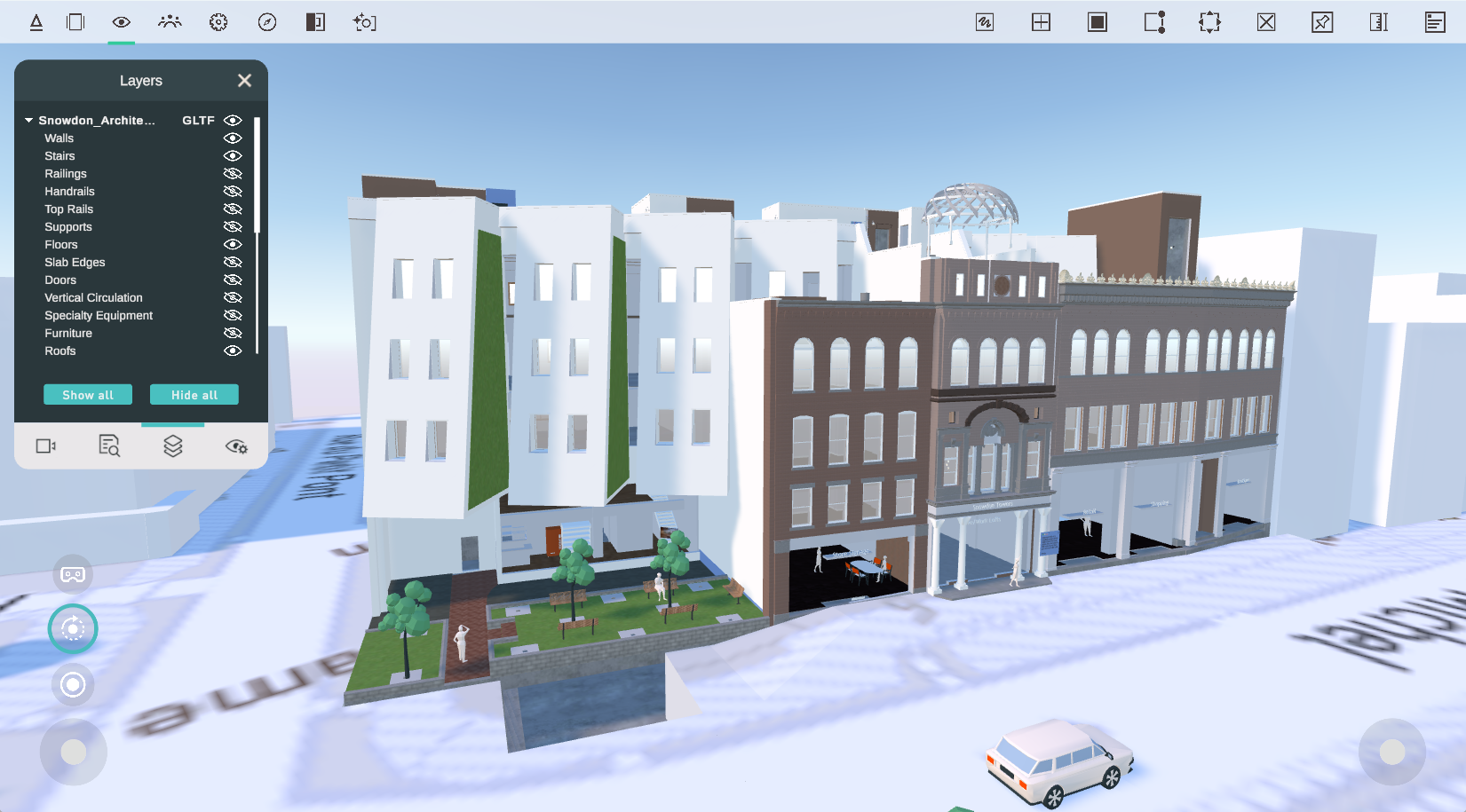
Models imported using our plugins can be expanded to show their layers, which can be made visible or invisible by clicking the eye icon behind the layer name. Clicking the eye icon of the imported model hides the entire model, including all its layers, but retains the original layer visibility when the model is switched back on.
Imported 3D models without layers (OBJ or GLB files) cannot be expanded, but they can be made visible or invisible. If you wish to reset the visibility of all your imported models in the scene, you can use the "Show all" and "Hide all" buttons to enable or disable all the visibility toggles for all the models and their layers in the scene.
Layers in meetings
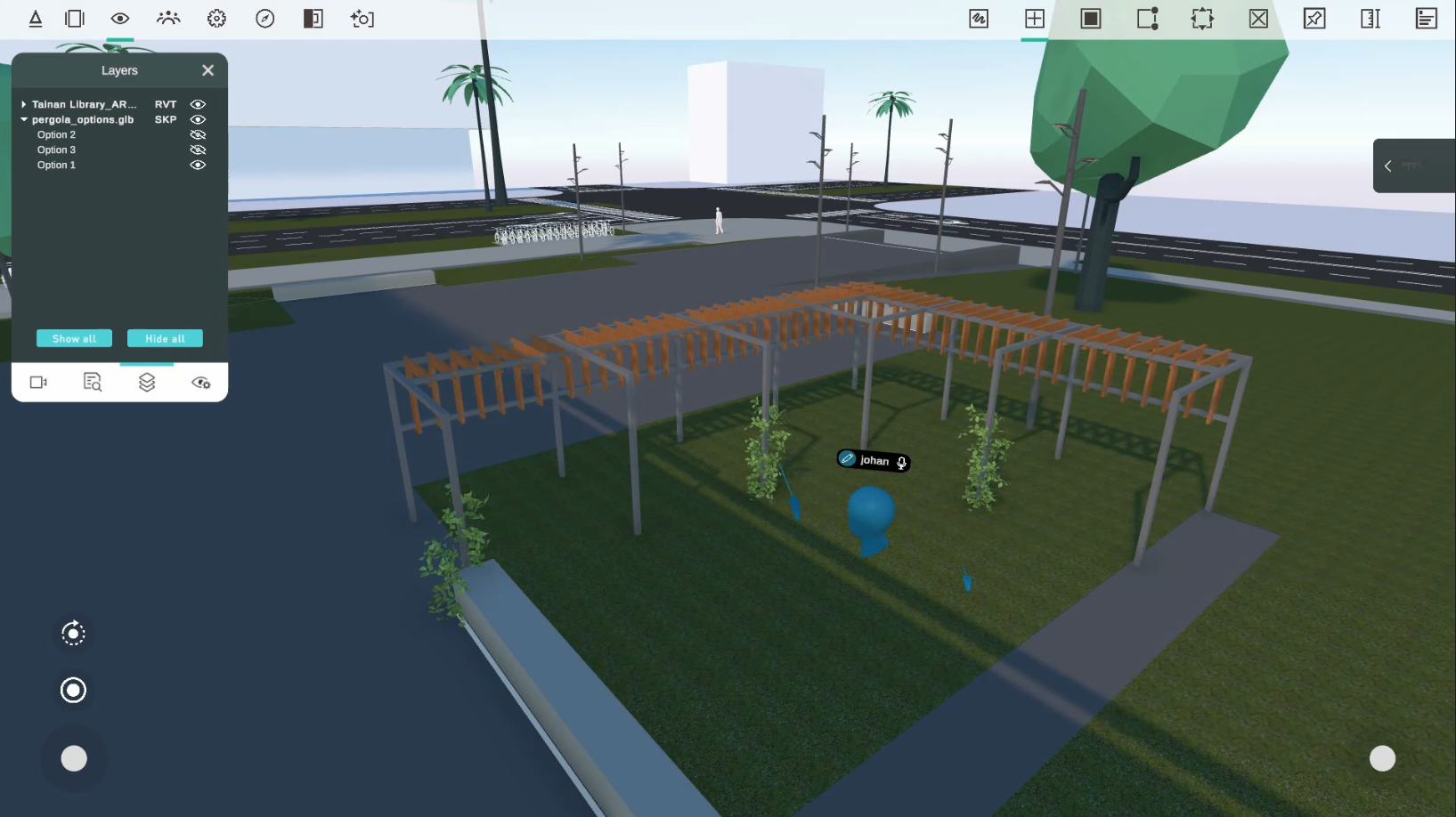
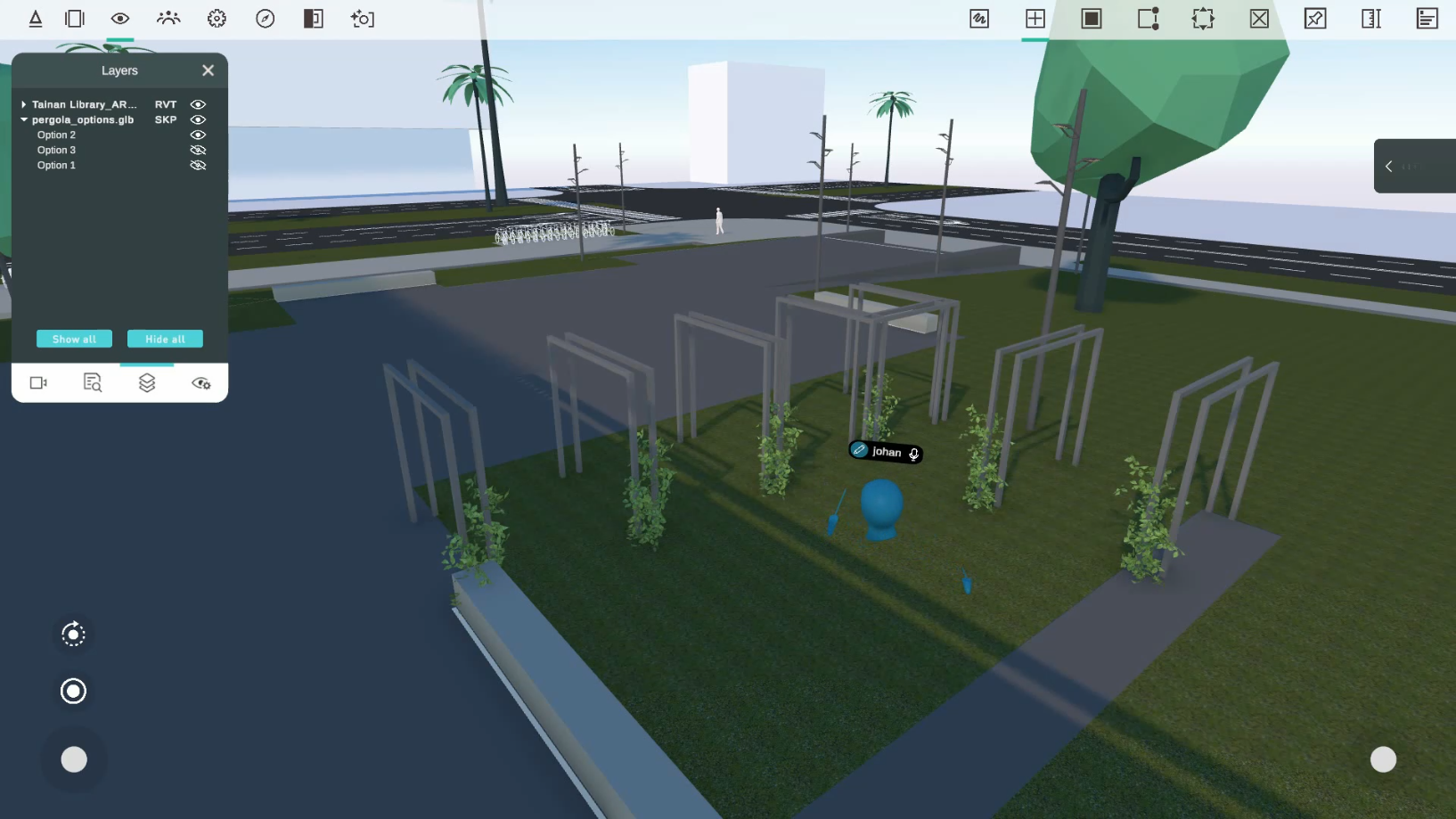
When layers of objects are turned off, everyone in the meeting will see those changes directly. This allows you to review different design options together or inspect parts of your geometry separately without reimporting your models.
 |  |
Layer mapping
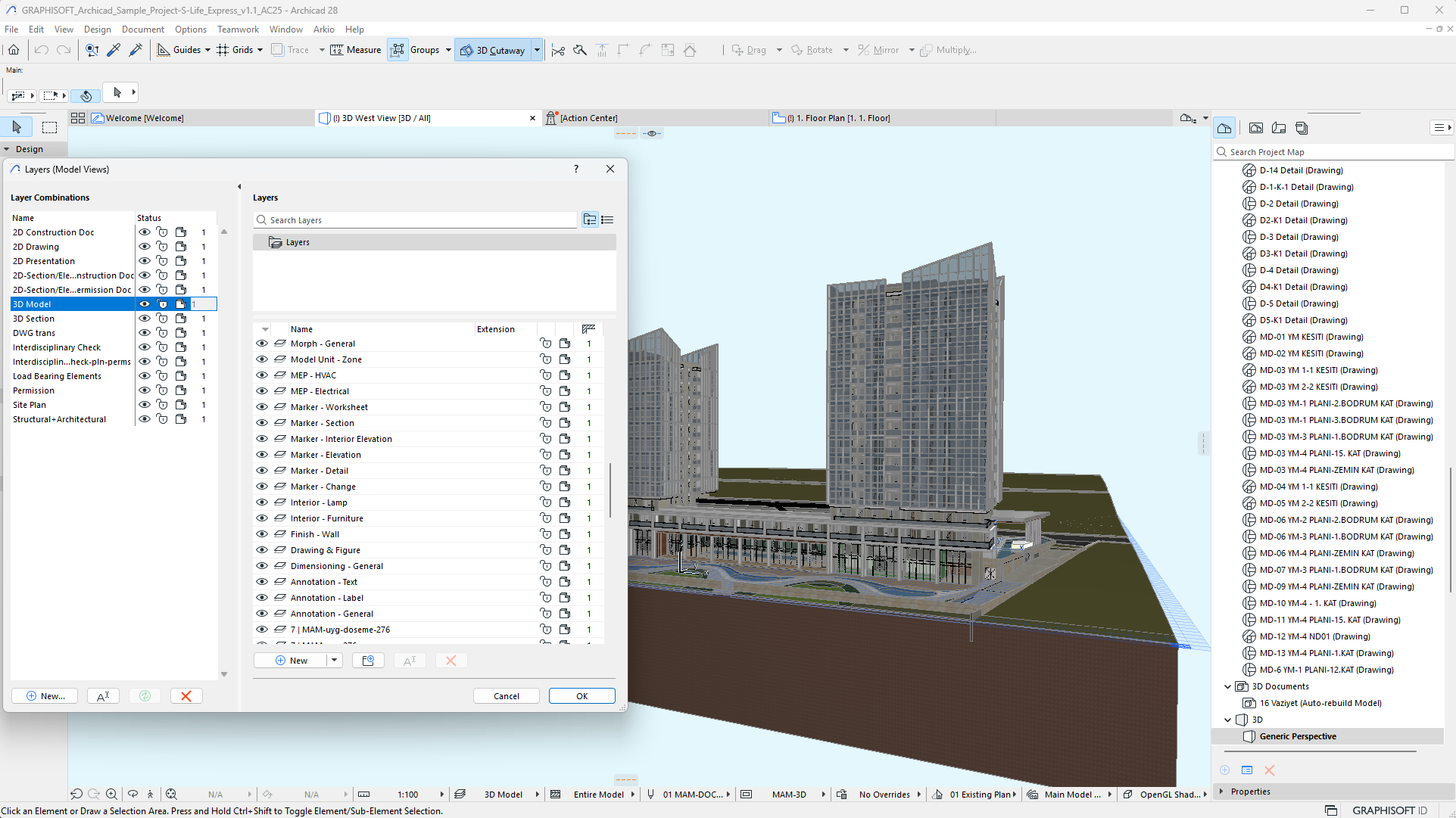
Modeling tools can use a different system to organize and manage model visibility. Arkio's plugins utilize the following mapping to convert CAD data into layers in Arkio.
Archicad > Layers
Revit > Categories
Rhino > Layers (flattened hierarchy)
SketchUp > Tags (folders skipped)
Navisworks > Selection Tree (flattened hierarchy)
Other tips
Models and Layers can also be turned off to increase rendering performance on less powerful devices, particularly when dealing with large datasets that include details or parts of a model that can be hidden. This allows you to make better use of your devices' available render budget. It can also help with Mixed Reality cases, where you only want to see one type of geometry
Was this helpful?
Still need help? Ask the team