Activating content packs in Arkio 2.3 (legacy)
Find and activate content included with existing Arkio 2.3 license keys and in-app purchases.
Written By Johan Hanegraaf
Last updated About 2 hours ago
Arkio 2.3 legacy licensing: The instructions below apply to the installed Arkio 2.3 apps. Existing legacy license keys and in-app purchases continue to work while we roll out Arkio 3.0 to the other supported devices.
In Arkio 2.3, objects and materials are available in the expandable Create and Paint drawers. In the legacy licensing interface, an orange dot indicates content that is not unlocked by the current license or purchase.
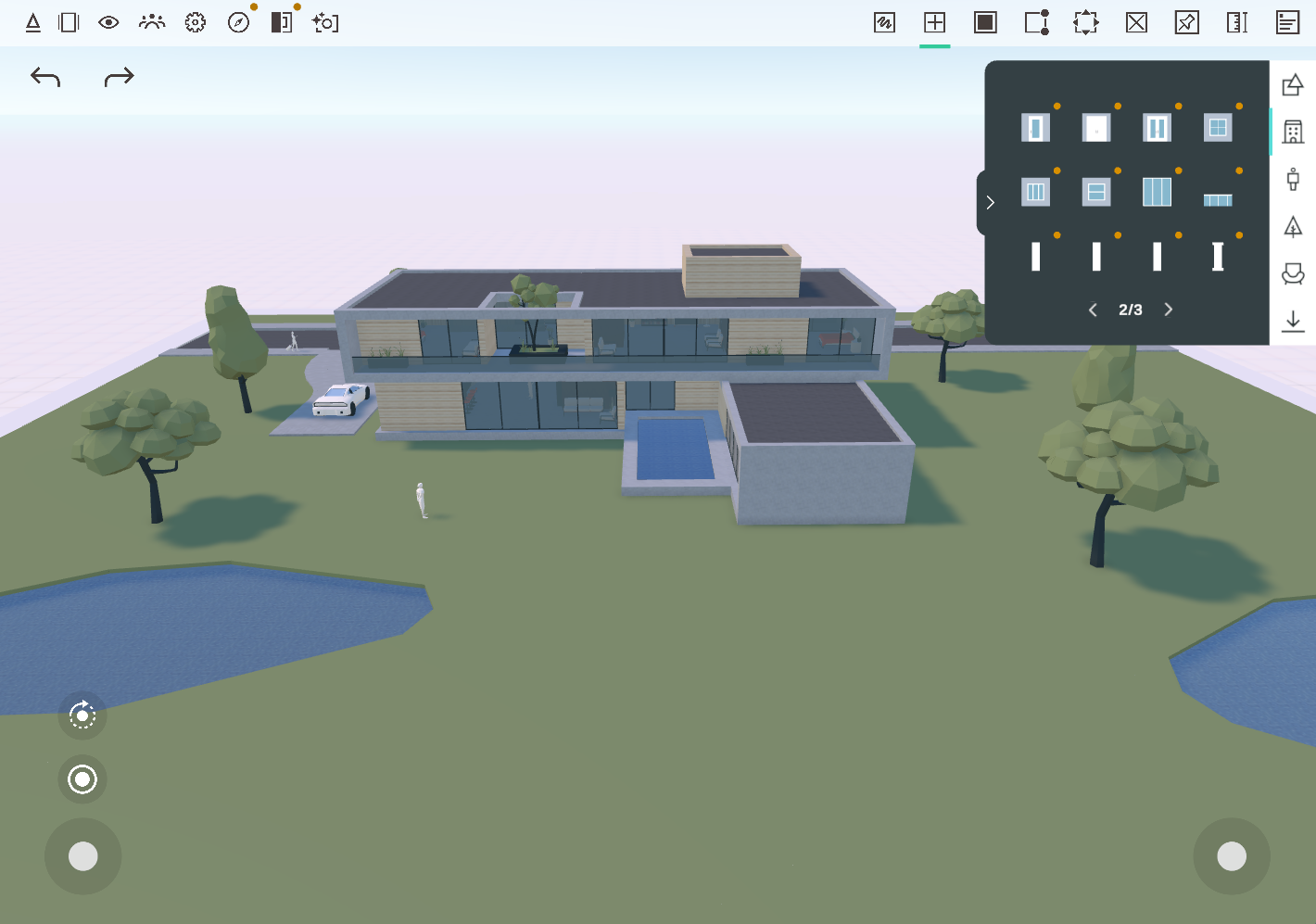
Content included with an existing license or asset-pack purchase becomes available after that purchase is activated. For a legacy key, follow Adding a legacy license to Arkio 2.3. For an in-app purchase, use the store account that owns it and check your App Store subscription. The orange dot disappears when the content is unlocked.

You can explore the asset pack in the Sample_AssetPack scene, available from the Arkio 2.3 Start or Store panel. Open the expandable Create and Paint drawers to find its objects and materials. Use the page controls, such as 2/3, to see additional assets.
Content packs and AI credit packs
Legacy content packs contain objects and materials for Arkio 2.3. Arkio Web AI credit packs pay for AI work in the web app; they do not activate legacy content packs. Learn more about AI credits and your work.
Was this helpful?
Still need help? Ask the team