Switching between Quest releases
Written By Johan Hanegraaf
Last updated 4 months ago
On Quest, you can sign up for a release channel that gives you access to special builds or versions of Arkio to run on your Quest hardware instead of our main public release
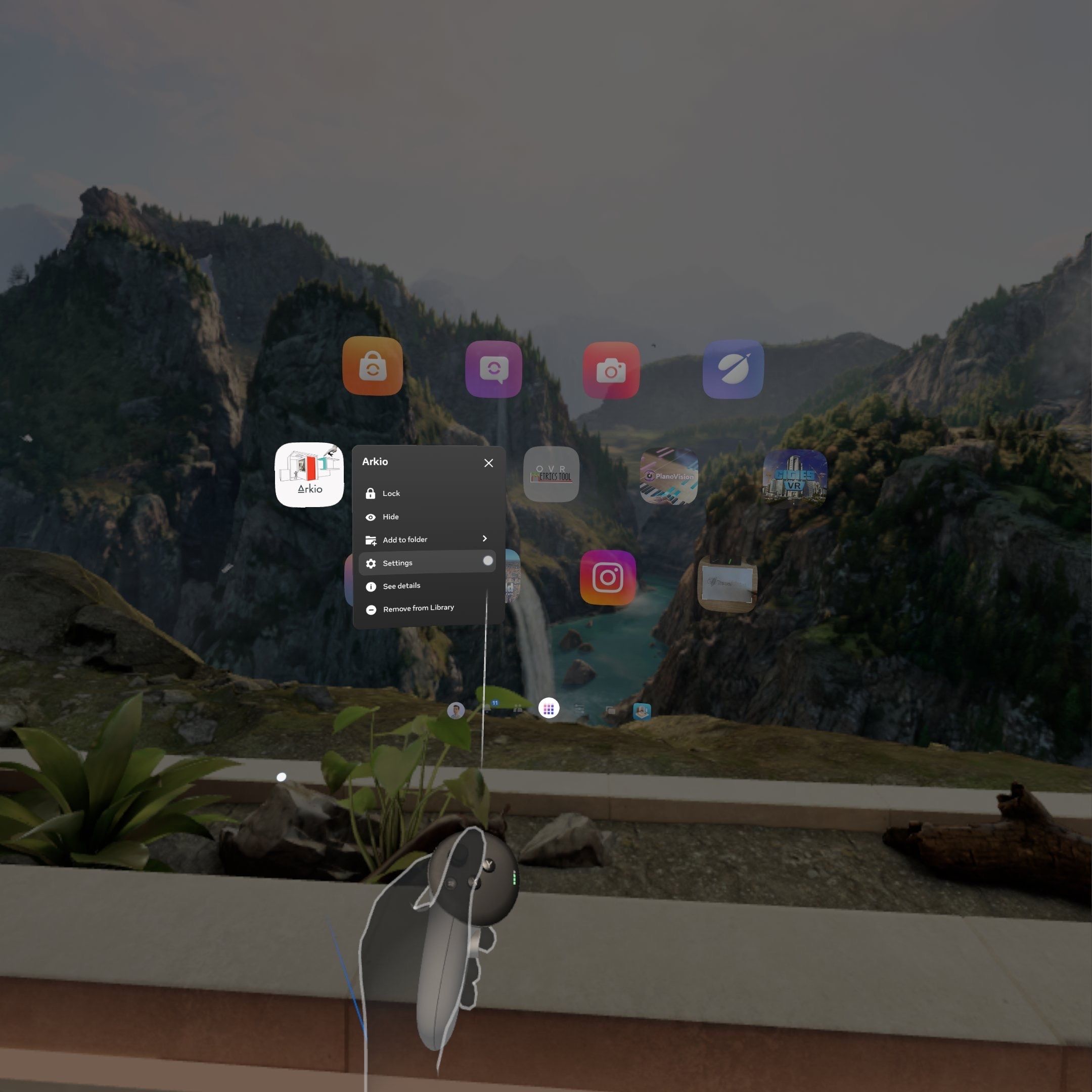
After joining the release channel with your Meta account, you can switch between the current release version of Arkio and other release channels by going to your Settings > Privacy & Safety > App permissions (clicking and holding the trigger on the Arkio app icon will show a settings dropdown that will directly take you there)
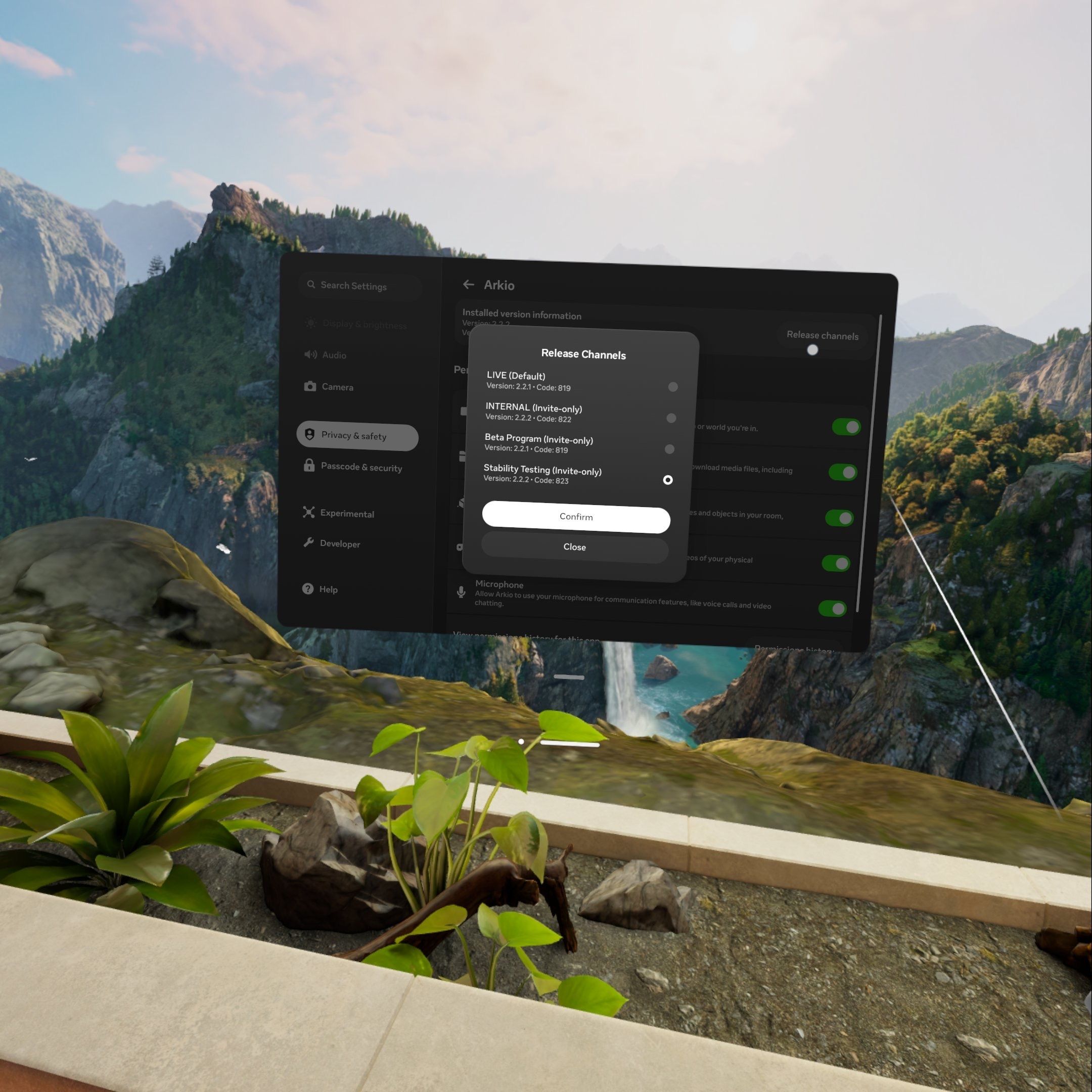
Then, select a different release channel at the top. After switching versions, the Arkio app will be automatically updated the next time you start it.
You can also force a downgrade/update when switching between release channels by visiting the Arkio store page and clicking “Install” (clicking and holding the trigger on the Arkio icon will show a see details dropdown that will directly take you there)
You can also switch between release channels in your Meta Horizon phone app by tapping the version number.
Was this helpful?
Still need help? Ask the team