Hand tracking
Set up hand tracking and learn Arkio gestures for navigation, modeling, menus, teleporting, undo/redo, snapping, and the camera.
Written By Johan Hanegraaf
Last updated About 21 hours ago
Use your hands to navigate, select tools, and model in Arkio on a supported Meta Quest headset. Hand tracking is experimental, and reliable gesture recognition depends on your headset, lighting, and hand position.
Enable hand tracking
Enable hand tracking in your headset's settings.
In Arkio, open Settings → Arkio Labs (the experimental settings tab) and enable Hand tracking.
Place your controllers on a stable surface, hold your hands where the headset can see them, and wait for the tracked hands to appear.
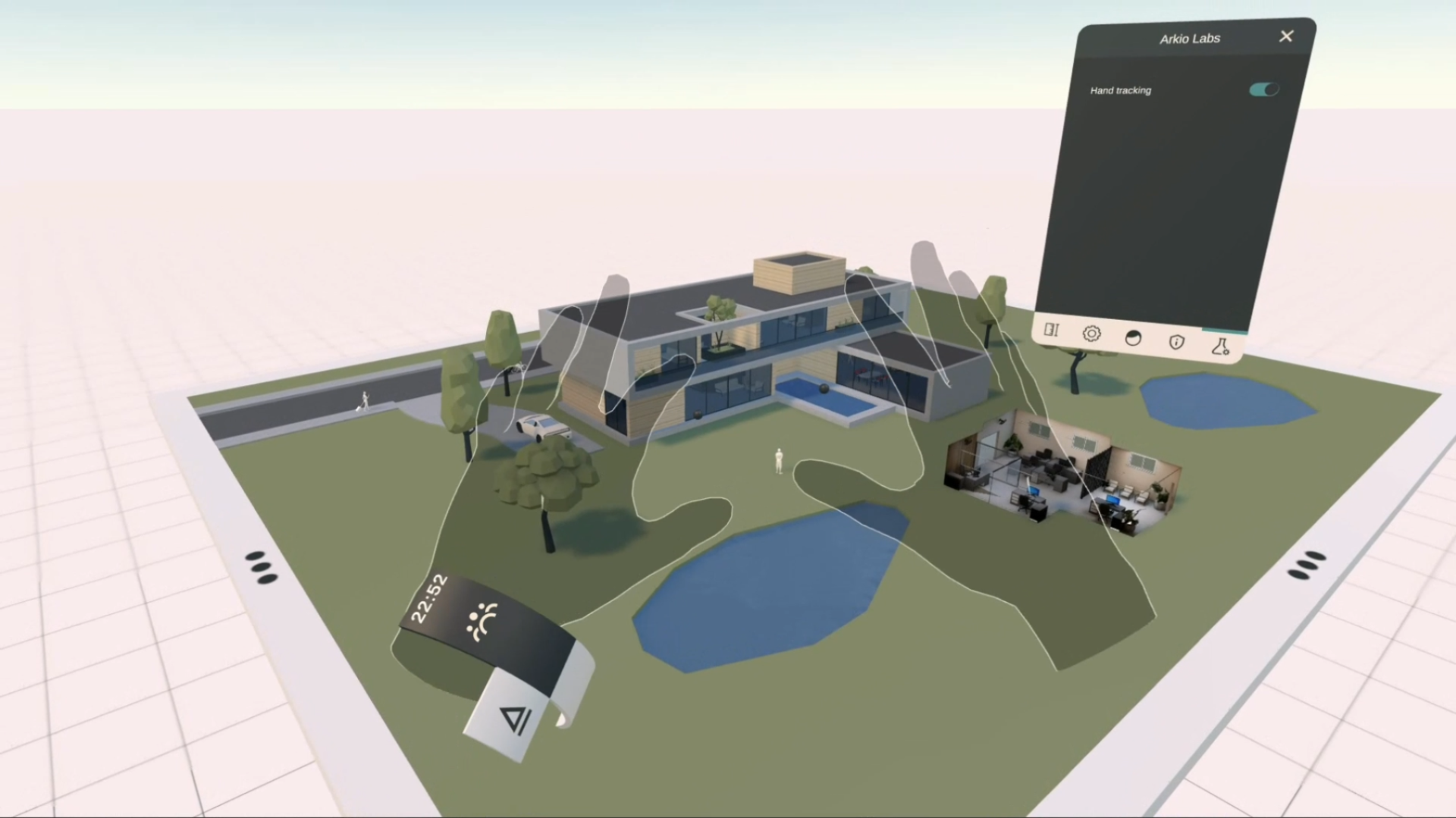
To return to controllers, pick them up again. If they do not become active immediately, press a controller button. To prevent automatic switching to hands, turn off Hand tracking in Arkio's experimental settings.
Gestures at a glance
Keep the hand you are using in view and finish one gesture before starting another. The thumb–middle-finger pinch has different functions on the two hands: quick tool selection on the right and undo/redo on the left.
Move and scale the world
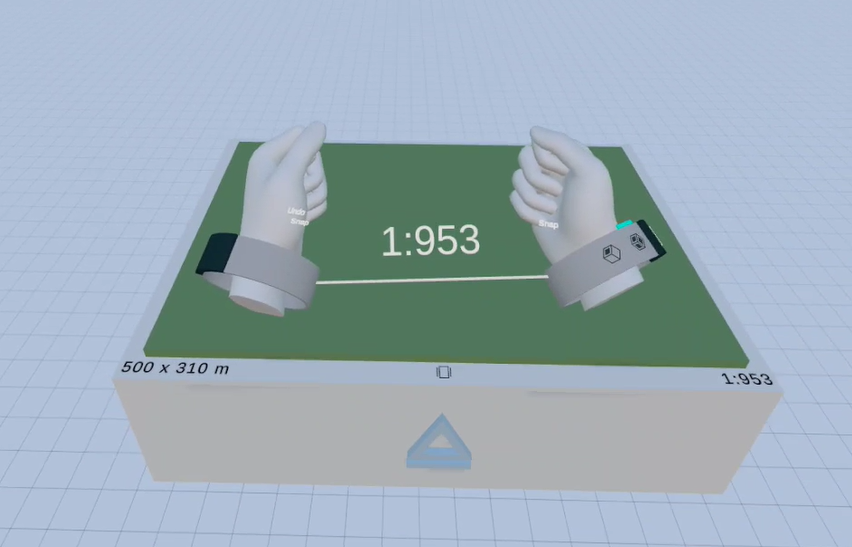
Form a fist with one hand to grab the world, then move your hand to reposition it. Form fists with both hands and move them apart or together to change scale. Open your hands to release the world.
These gestures work like the grip buttons on your controllers. Start with your hands in view and your palms facing away from you so you do not activate the palm-facing shortcuts.
Activate the laser and use tools
Open your hand, spread your fingers, and face your palm forward, like a stop sign. The laser for that hand's active tool appears.
Aim at the object, surface, or menu control you want to use.
Pinch your thumb and index finger together to start the action. Hold the pinch while moving or editing, then separate your fingers to release.
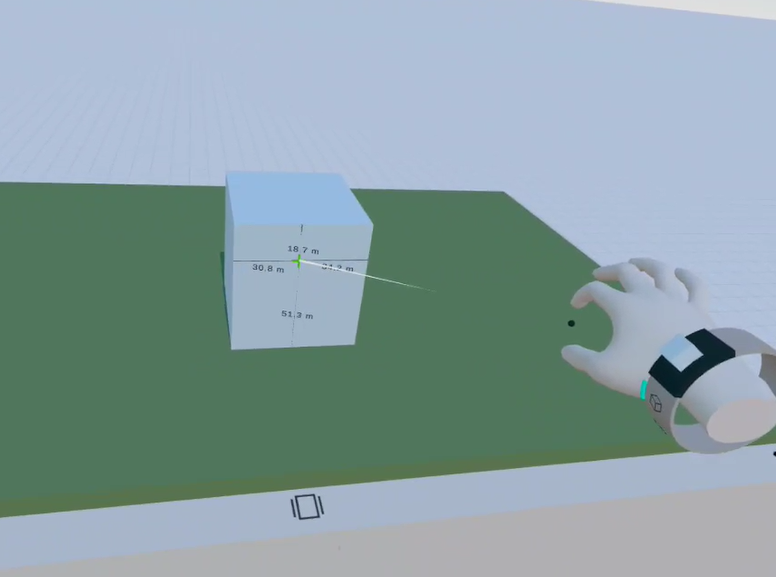 | 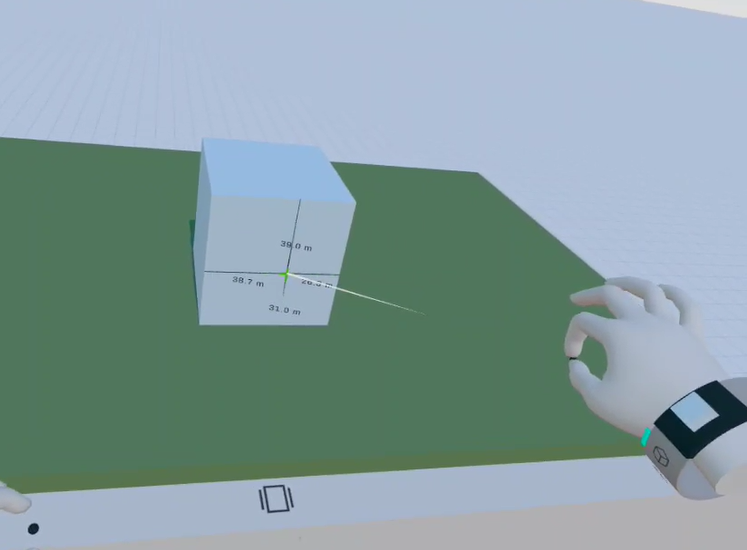 |
The index-finger pinch acts like a controller trigger. You can also reach toward nearby geometry and pinch at the interaction point to manipulate it directly. See Laser & grab interactions for the difference between working at a distance and working within reach.
Open menus and select tools
Open the main menu with your palm
Look at your right hand, open it with your fingers spread, and turn your palm upward to show the menu. You can touch its buttons with the index finger of your other hand. This is a separate gesture from the middle-finger pinch used for quick tool selection.
Use the right-hand Quick Access Menu
Keep your right hand in view with your palm facing away from you. Pinch your thumb and middle finger together while keeping your index finger extended and clear of your thumb.
Hold the pinch and aim over a tool to switch to it. Release the pinch to keep the last tool selected. You can also select tools by touching their buttons with your index finger.
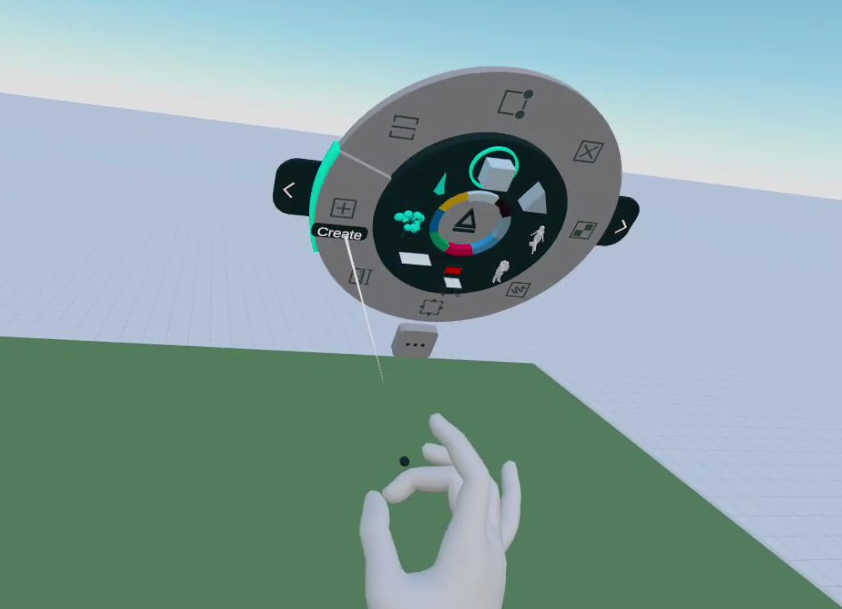
See Quick Access Menu for more about quick tool selection.
Use wristband controls and turn off a tool
Touch the buttons on one wristband with the index finger of your other hand to access tool settings and shortcuts. To turn off a tool, select it again or touch its active-tool preview on the wristband. You can also wiggle the hand from side to side to deselect its tool.
Learn more in Wristband and active tools.
Teleport
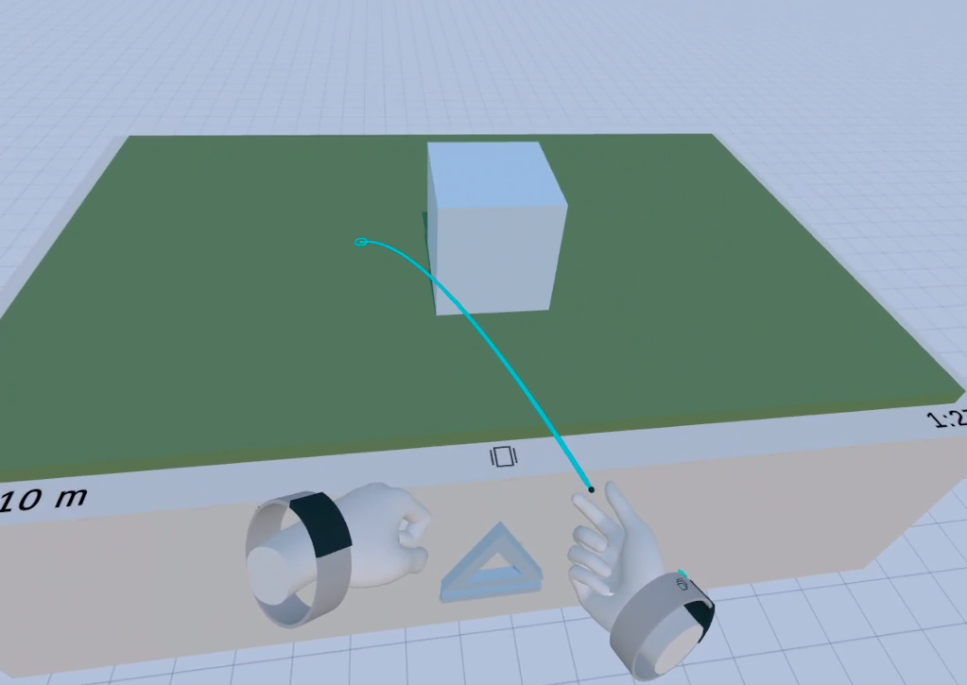
Turn your right palm upward and toward you, extend your index finger, and curl your middle, ring, and little fingers to activate teleport mode.
Aim at the location you want to move to.
Pinch your thumb and index finger to teleport.
Keep the pointing pose to make another jump. Open the curled fingers to leave teleport mode.
Undo and redo
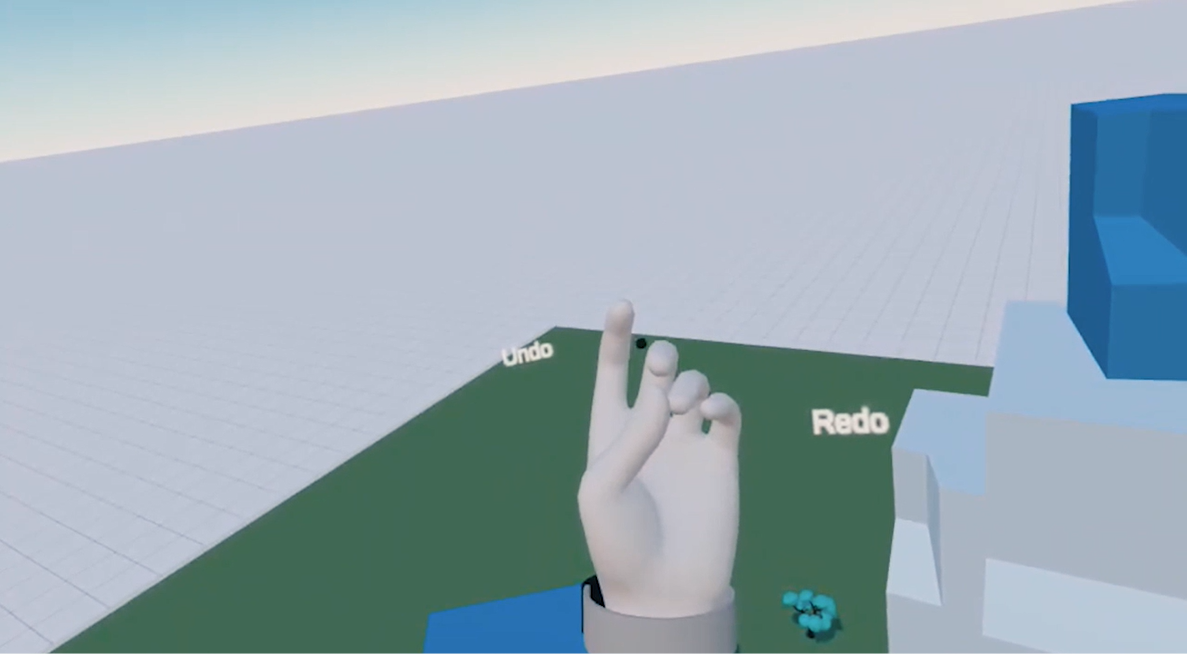
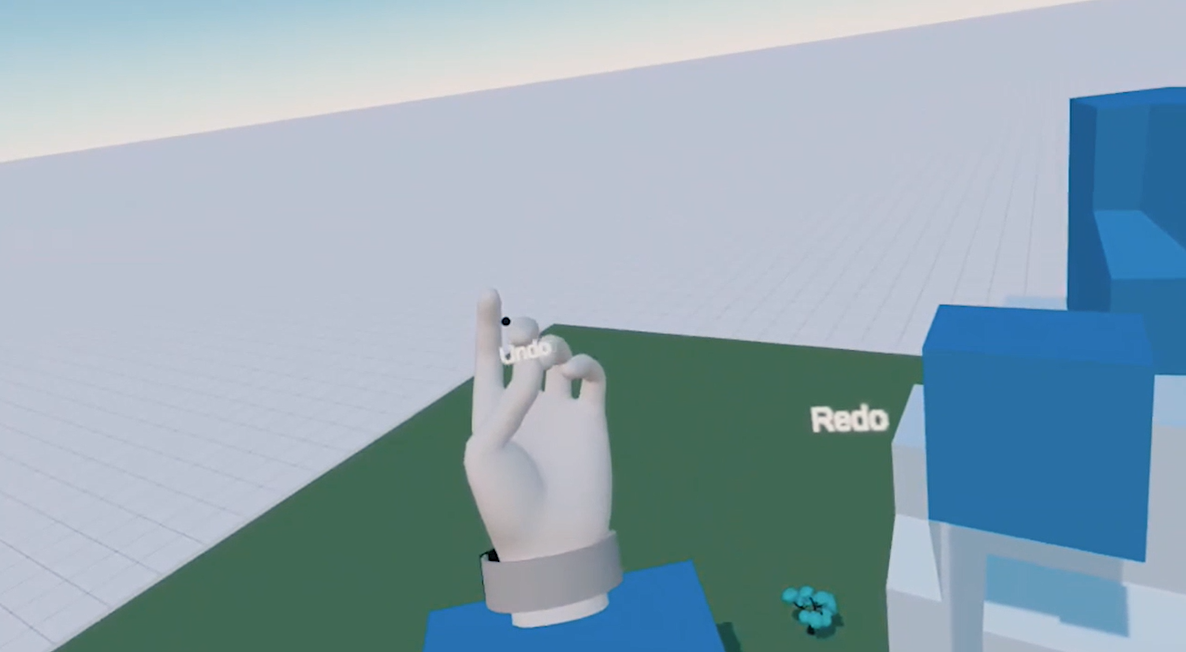
Look at your left hand with your palm facing upward and toward you. Pinch your thumb and middle finger together to show the Undo and Redo labels.
While holding the pinch, move left toward Undo or right toward Redo. Follow the labels shown beside your hand, then release the pinch when you have finished. Holding your hand toward a label can repeat the action.
 |  |
See Undo/redo for the scope of the history and how it works in meetings.
Temporarily disable snapping
Turn your palm upward and toward you until the Snap hint appears near your little finger. Pinch your thumb and little finger together to temporarily disable guides and snapping.
Keep the fingers together while you need snapping disabled. You can turn the hand back down while holding the gesture. Separate your thumb and little finger to restore snapping.
Frame a view with your hands
Hold both hands in front of you and form an L shape with each thumb and index finger. Face the L shapes toward one another as opposite corners of a picture frame, with one corner higher than the other. Keep your hands uncrossed.
When Arkio recognizes the gesture, the camera viewfinder appears between your hands. Move the frame to compose your view, then pinch your right thumb and index finger to trigger the camera's current action. Turn your hands out of the framing pose or move them far apart to dismiss it.
You can also select the Camera tool from the menu and use an index-finger pinch to trigger it.
Watch the gesture demonstration
This earlier demonstration shows the basic gestures. Use the instructions above for the current settings and additional shortcuts.
Tracking tips and troubleshooting
Keep both hands visible. Avoid overlapping them or hiding one behind an object or the other hand.
Use even lighting. Poor lighting can make pinches, fists, and finger positions harder to recognize.
Make gestures deliberately. Open your hand between gestures, keep the relevant fingers separated, and look at the hand you are using.
Wait for tracking to recover. If a hand disappears or a tool stops responding, bring your hand back into view before continuing.
Compare with controllers. If an operation is difficult with hands, switch back to controllers. Testing hand tracking in another app can help identify a headset or environmental issue.
Turn hand tracking off when needed. Disable it in Arkio's experimental settings if you prefer to remain in controller mode.
Was this helpful?
Still need help? Ask the team