How to share feedback
Written By Johan Hanegraaf
Last updated 3 days ago
Your feedback helps us improve Arkio. Choose the option that best fits what you want to share.
Report a problem
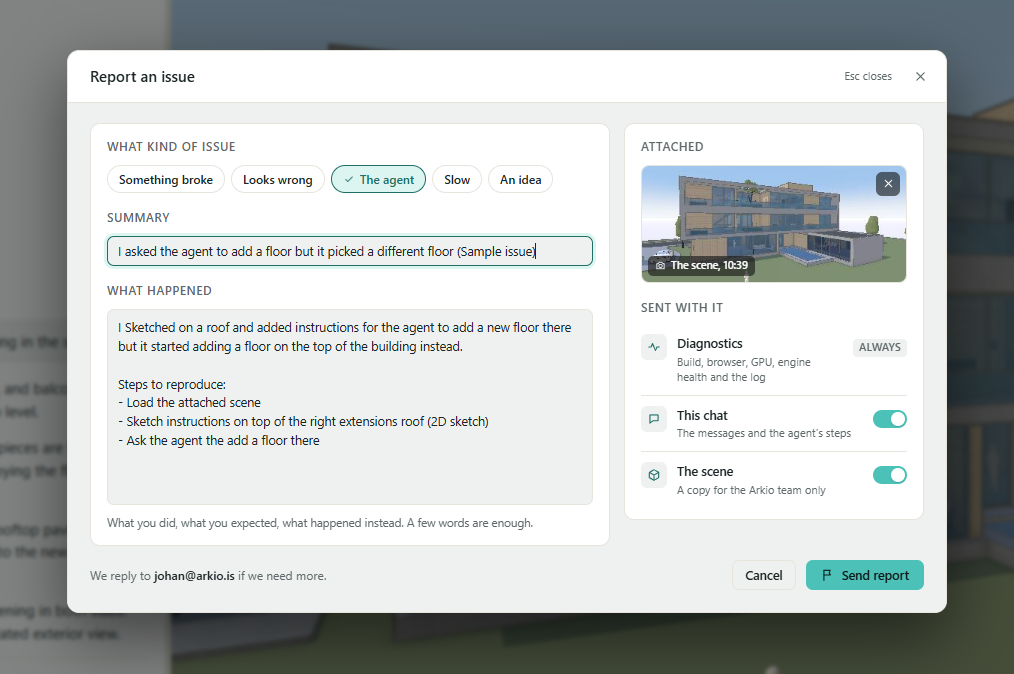
For bugs, unexpected AI results, or performance problems, use Report an issue in Arkio Web. Click the flag icon near the bottom of the right-hand toolbar.
Describe what you were trying to do, what you expected, and what happened. Review the information attached before sending.
See Report an issue from Arkio Web for instructions and attachment options.
Suggest an improvement
Share ideas and feature requests on our public feedback page. Our feedback page gives you a place to share ideas, discuss improvements with other Arkio users, and explore our public roadmaps.
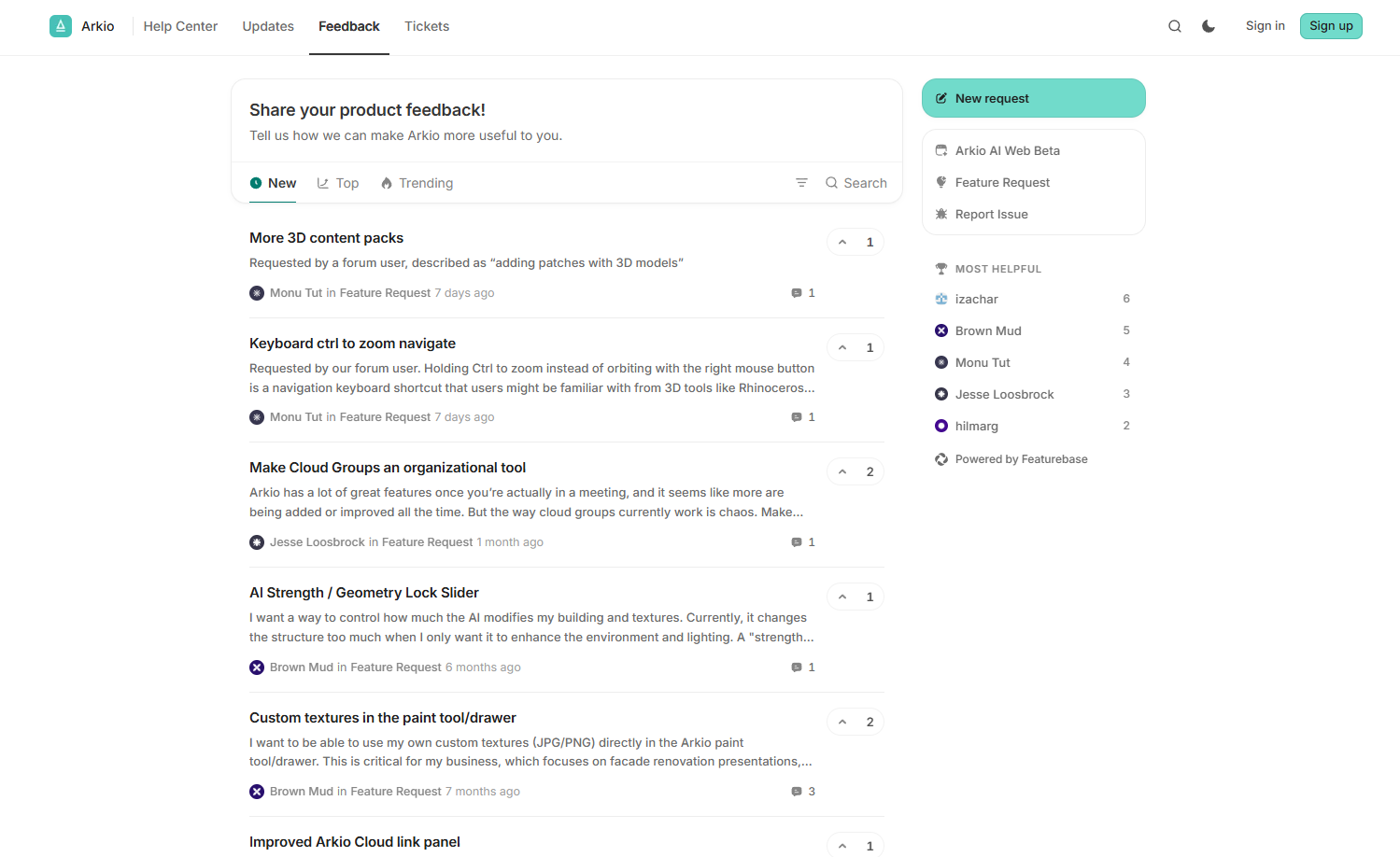
Vote for existing ideas: Support requests that would make a difference to your work. Voting helps us understand how many people would benefit from an improvement.
Join the discussion: Add a comment to explain your use case, share an example, or describe a workaround you use today. These details help us understand the problem behind a request.
Explore our public roadmaps: See the ideas and improvements we have shared publicly and check their current status.
Suggest something new: If you cannot find a similar idea, create a post explaining what you want to accomplish and how the improvement would help your workflow.
Your votes and discussions help us define priorities and make Arkio more useful for your workflows. Tell us how often you encounter a problem, what slows you down, and what a better experience would let you achieve. We consider this feedback alongside technical work and our broader product plans when deciding what to build next.
Direct email support
Email support@arkio.is for help with your Arkio account, licenses, subscriptions, payments, or other support questions. Include the email address associated with your account and, when relevant, your order or invoice reference so we can help you more quickly.
Thank you for helping us improve Arkio!
Was this helpful?
Still need help? Ask the team