Adding a legacy license to Arkio 2.3
Written By Johan Hanegraaf
Last updated About 3 hours ago
Arkio 2.3 legacy licensing: The instructions below apply to the installed Arkio 2.3 apps. Existing legacy license keys and in-app purchases continue to work while we roll out Arkio 3.0 to the other supported devices.
New plans purchased on our website are for Arkio Web (3.0) and do not activate Arkio 2.3. See Arkio Web plans and legacy 2.3 licenses for the difference.
Legacy Arkio 2.3 Pro and Enterprise licenses unlock features in the installed apps, including professional imports and exports and licensed meetings. These are separate from Arkio Web plans, even where plan names are similar.
If you previously purchased a cross-platform license key through our website, manage that subscription in the legacy subscription portal. For an in-app purchase, use your App Store subscription settings.
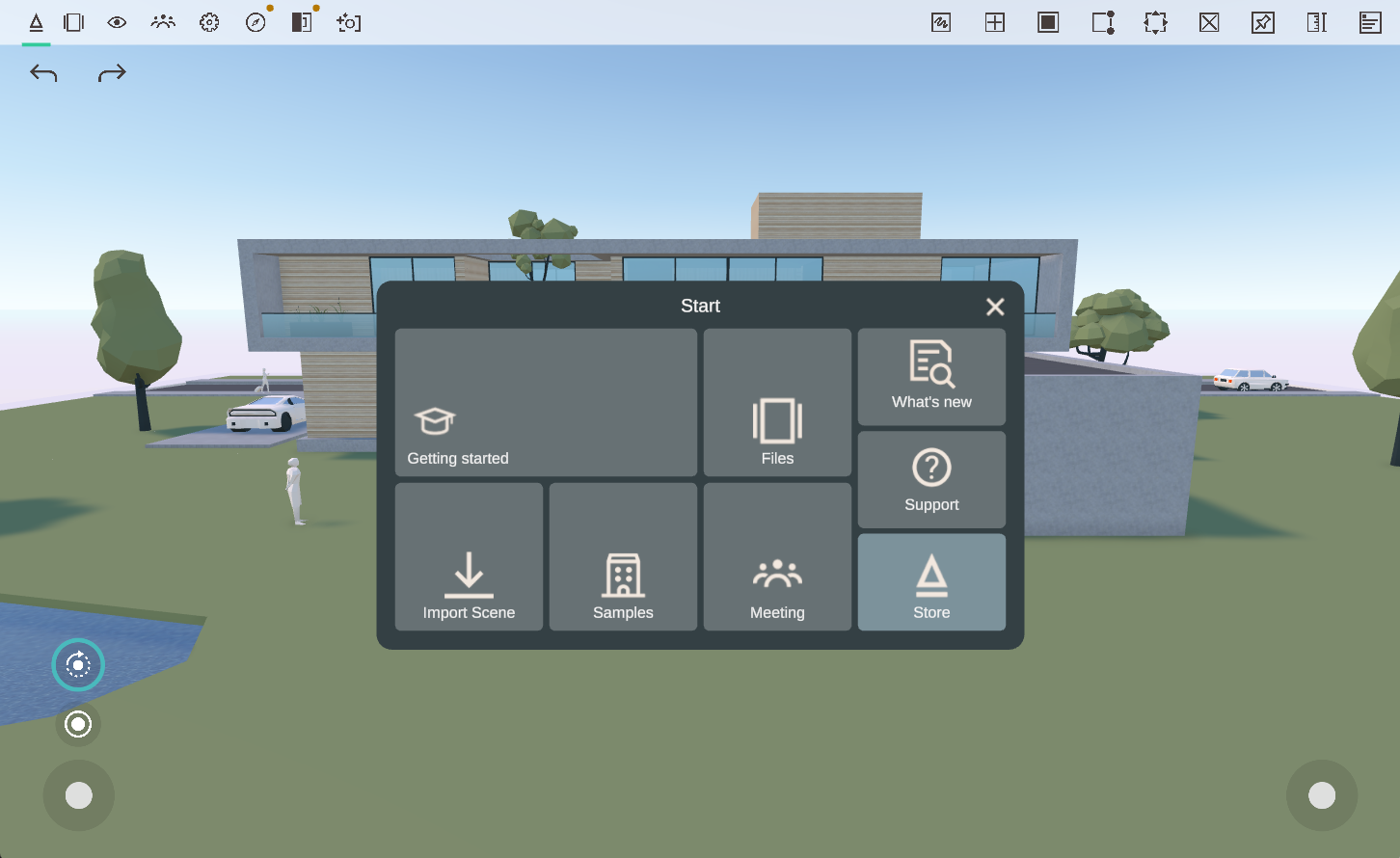
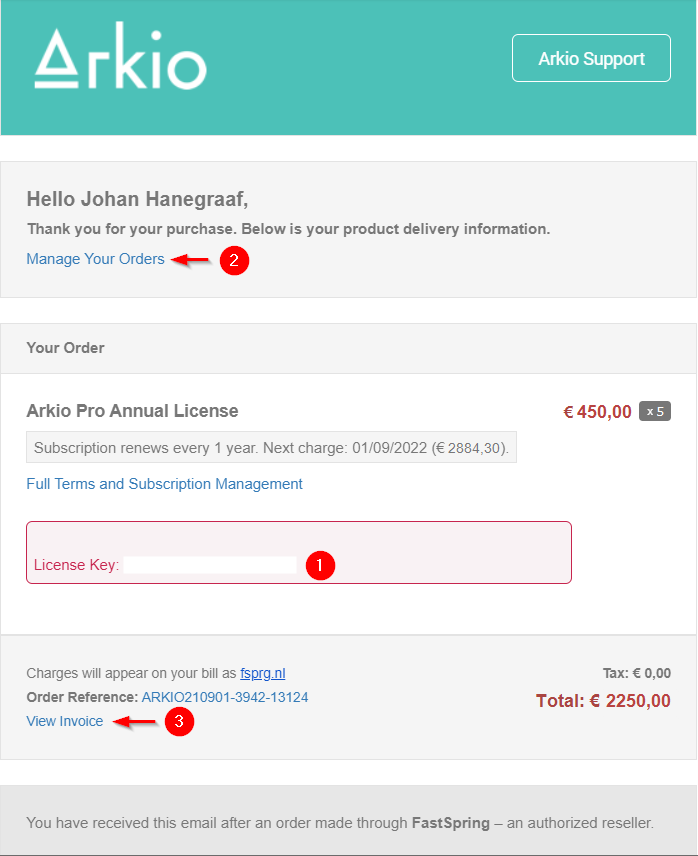
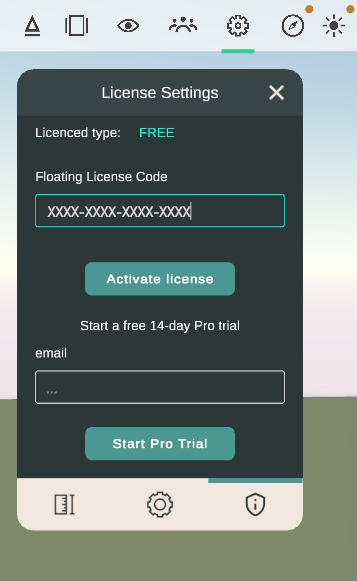
To activate an existing cross-platform key, find the license code in your original order confirmation email and enter it in Settings > License in Arkio 2.3. An App Store subscription activates through the store account on your device and does not provide a cross-platform key.
Legacy Pro keys can be activated on up to two devices. Legacy Enterprise keys use floating seats and can be added to multiple devices; a device takes an available seat when Arkio starts.
 | 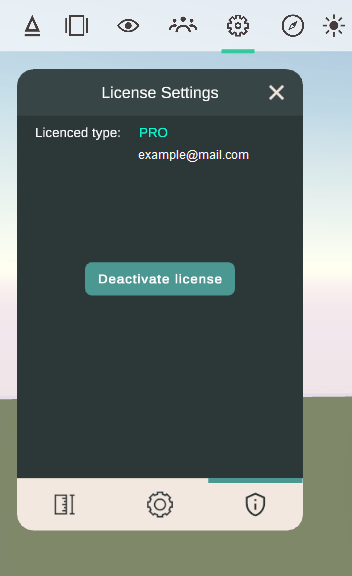 |
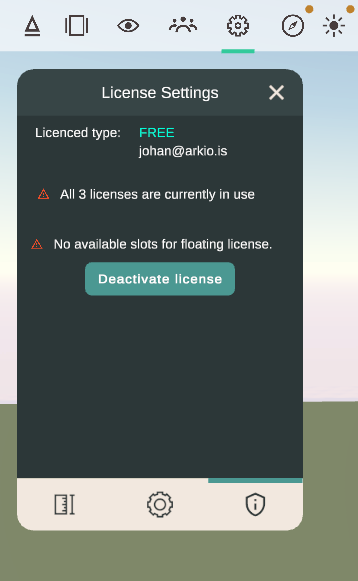
If all seats are in use, another device may show a No License notification in the interface or on the VR wristband. For a Pro key, deactivate it on a previous device before activating it on another. For an Enterprise key, wait for a floating seat to become available.
These screenshots show the legacy licensing interface. For the current availability of the installed apps during the transition, see Arkio 2.3 apps and transition information. Buying an Arkio Web plan will not resolve a 2.3 license key or seat issue.
In Arkio 2.3, Enterprise users can also use available floating seats to temporarily grant edit rights to meeting participants. These legacy meeting rules do not describe Arkio Web Team plans.
 | 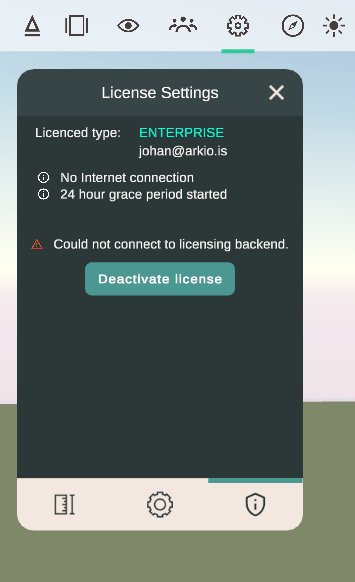 |
A previously validated legacy license allows a 24-hour offline grace period. Reconnect to the internet to validate it again when that period expires. If an existing key still does not activate, contact support@arkio.is.
Was this helpful?
Still need help? Ask the team